

Key Takeaways
- Recording symptoms consistently over time reveals patterns that a single appointment cannot capture.
- Useful entries include symptom severity, timing, duration, triggers, and functional impact.
- A structured log makes clinical conversations more efficient and improves diagnostic accuracy.
- Digital apps and paper notebooks are both valid formats — consistency matters more than the tool.
- Sharing a concise summary, not raw pages, is the most effective way to present your log to a clinician.
What you will need
Why Consistent Symptom Tracking Has Clinical Value
Healthcare appointments are typically short. What a clinician can observe in a 15-minute consultation is inherently limited, particularly for conditions that fluctuate — such as autoimmune disorders, migraine, chronic pain, or anxiety-related conditions. A well-maintained symptom log bridges this gap by providing longitudinal data that neither recall nor a single examination can supply.
Research in chronic disease management consistently supports patient-reported outcome tracking as a tool that improves diagnostic accuracy, informs treatment decisions, and strengthens the patient-clinician relationship. When patients arrive with documented, time-stamped data rather than general impressions, clinicians can identify trends, rule out hypotheses more efficiently, and monitor whether an intervention is working.
Symptom tracking also serves the reader directly: the act of logging can reduce health-related anxiety by replacing vague worry with concrete, observable information. It can also help you recognize that some symptoms are more variable — or less alarming — than memory suggests. For those exploring digital support tools, understanding how symptom checkers work can complement what a personal log provides.
This Is Information, Not a Diagnosis
A symptom log is a communication and self-awareness tool, not a diagnostic instrument. It does not replace professional medical evaluation. If you experience sudden, severe, or rapidly worsening symptoms — including chest pain, difficulty breathing, or signs of stroke — seek emergency care immediately rather than logging the event.
What to Record and How to Get Started
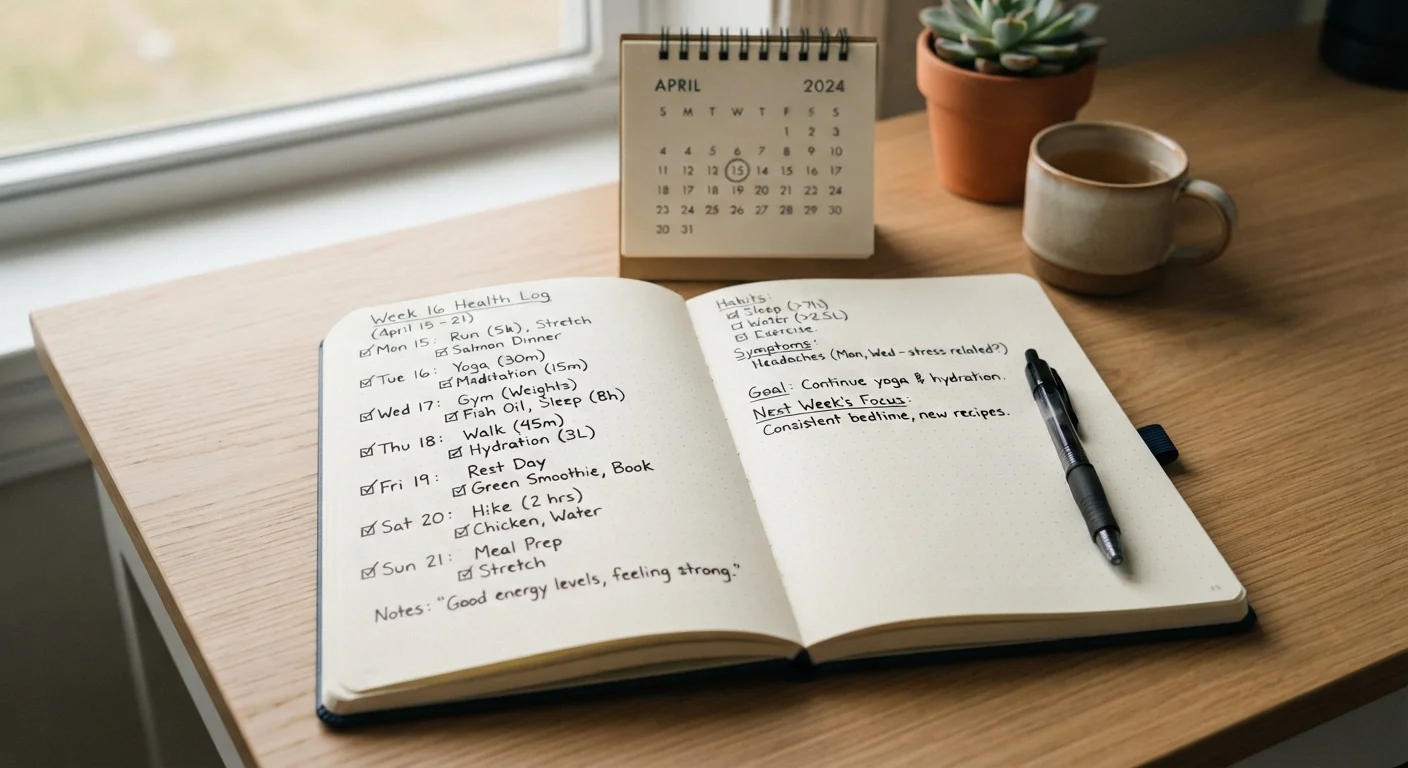
Before beginning, gather your tools and establish your core data fields. The goal is a format you can complete in under three minutes per entry.
Notebook or journal
Provides a low-tech, always-accessible format for daily symptom entries that requires no battery or connectivity.
Health tracking app
Enables structured digital logging with timestamps, graphs, and exportable summaries for sharing with clinicians.
Numeric pain or severity scale reference
A standardized scale (such as 0–10) ensures your severity ratings stay consistent across different recording sessions.
Calendar or planner
Cross-referencing symptom entries with scheduled events, menstrual cycles, or medication changes helps identify triggers.
Choose a format you will actually use every day
The most clinically useful symptom log is one that gets completed consistently, not one that uses the most sophisticated tool. Decide whether a pocket notebook, a notes app on your phone, or a dedicated health-tracking application fits your daily routine. If you have hormonal or cycle-related symptoms, purpose-built tracking tools may offer additional structure — see our guide on symptom journals and cycle-tracking apps for a comparison of formats.
Record the core data fields for every entry
Each log entry should capture the following at minimum:
- Date and time the symptom occurred or was noticed
- Symptom name or description in plain language (e.g., "dull ache behind left knee")
- Severity on a consistent 0–10 numeric scale
- Duration — how long the symptom lasted
- Location on the body, where relevant
- Functional impact — did it interrupt sleep, work, or daily activity?
Standardizing these fields from day one means your data is comparable across weeks and months.
Note potential triggers and contextual factors
Alongside core symptom data, record relevant context: recent food or drink, physical activity, stress levels, sleep quality the night before, weather changes, and any medications or supplements taken. These contextual entries allow a clinician — and you — to identify potential triggers or aggravating factors. Do not filter out entries that seem unrelated; patterns often emerge only after several weeks of complete data.
Log at consistent intervals, not just during flare-ups
Many people only record symptoms when they feel unwell. This creates a skewed dataset that overstates severity and misses the baseline periods that give context to bad days. Log daily — even if the entry is simply "no notable symptoms today." For variable conditions, this baseline is clinically significant. If you find daily logging unsustainable, a structured twice-daily check-in (morning and evening) is a reliable alternative.
Review your log weekly for emerging patterns
Set aside five to ten minutes each week to read back through your entries. Look for recurring symptom combinations, timing clusters (e.g., always worse in the afternoon), or links between specific contexts and flare-ups. Note your observations in a separate "weekly review" section rather than editing original entries — preserving the raw record maintains its integrity. These weekly summaries become the foundation of what you share with your healthcare provider.
Share a structured summary with your clinician
When attending an appointment, bring a one-page summary rather than the full log. Highlight the top three patterns you have observed, any new or worsening symptoms since your last visit, and any clear triggers you have identified. If your clinician uses a patient portal, ask whether you can upload a summary in advance. A well-prepared log summary is among the most efficient ways to improve the quality and focus of a short appointment. For additional strategies, the practical symptom checker walkthrough covers how digital tools can complement what you bring to a consultation.
Prepare Your Log Before Appointments
Before any clinical visit, condense your log into a one-page summary highlighting the three most significant patterns, any new symptoms, and any clear triggers you have identified. Clinicians work under time constraints, and a focused summary is far more useful than handing over a full notebook. Pairing this with pre-appointment preparation guidance can further sharpen what you bring.
Avoid Over-Interpreting Your Own Patterns
It is natural to search for meaning in the data you collect, but correlations you notice are hypotheses, not diagnoses. Bring your observations to a qualified clinician for interpretation. Self-diagnosing based on a symptom log — or using it to start, stop, or adjust any medication — can cause harm.
Using Your Log Beyond Clinical Appointments
A symptom log has value outside the clinic. If you use a digital symptom checker, entering data that reflects patterns from your log — rather than just today's symptoms — produces more contextually accurate output. Similarly, if you track nutrition or physical activity, cross-referencing those records with your symptom log can surface relationships that neither dataset reveals alone. For further context on related tracking approaches, see how food diaries work in practice.
Privacy is worth considering when logging health data digitally. Any app or platform you use to store symptom records holds sensitive personal health information. Review the app's privacy policy before entering data, and understand how that information is stored, shared, or used. Our overview of health data privacy covers what to look for.
This article is for general informational purposes only and does not constitute medical advice. Always consult a qualified healthcare professional regarding any health concerns, symptoms, or before making changes to your care plan.